The short answer
If time slips away and you never know how long things take, use a visual day planner: Tiimo or Structured. If a task feels too big to start, let Goblin Tools break it into steps. If you want one app for everything, TickTick. If you need a gentle, kind companion, Finch. If you write tasks down and still skip them because nothing happens when you do, try OGARNIAK, the app we make: a missed deadline costs your pixel pet a heart.
Disclosure: Świt Studio makes OGARNIAK and it is marked as ours. Nobody paid to be included. We are app makers, not clinicians: apps can make the day easier, and diagnosis and treatment belong with a doctor.
OGARNIAK is free to try: App Store · Google Play.
Pick by where your day falls apart
| What happens to you | What helps | Apps |
|---|---|---|
| Time slips by; a "quick" task eats the afternoon | Seeing the day as blocks on a timeline | Tiimo, Structured |
| You stare at a task and cannot start | Breaking it into tiny first steps | Goblin Tools |
| Out of sight, out of mind | Tasks on the lock screen and reminders before the deadline | OGARNIAK, Structured, TickTick |
| Lists in five apps, none of them up to date | One place for tasks, calendar and habits | TickTick |
| You write it down, then skip it anyway | Something small at stake | OGARNIAK |
| Harsh apps make you feel worse | A kind companion and small wins | Finch |
Compared at a glance
| App | Best for | Platforms | Price |
|---|---|---|---|
| Tiimo | a visual, colourful day plan | iOS, Android | Free plan; Pro subscription |
| Structured | a timeline of your day with tasks and calendar | iOS, Android, Mac | Free plan; Pro subscription |
| Goblin Tools | breaking tasks into steps | web, iOS, Android | Free on the web; small one-time price for the app |
| TickTick | tasks, calendar, habits and a focus timer in one | all platforms | Free plan; Premium yearly |
| Finch | self-care with a gentle pet | iOS, Android | Free core; Finch Plus optional |
| OGARNIAK (ours) | deadlines that cost a pixel pet a heart; tasks on the lock screen | iOS, Android | Free trial, then a subscription |
Prices change often and differ by country, so check the store before you pay.
The apps
Tiimo: your day as a picture
Tiimo turns your day into coloured blocks with icons and a visual countdown for the current one. It was designed with neurodivergent people in mind, and it shows. Good if "what am I supposed to be doing now?" is the question you ask most.
Structured: a timeline you can drag around
Structured puts tasks and calendar events on one timeline, so you see how much of the day is already taken. Moving a block when plans change takes one drag, which matters when your plans change a lot. Free for the basics; syncing your calendar needs Pro.
Goblin Tools: when you cannot start
Type "clean the kitchen" into Magic ToDo and it breaks it into steps; press again and each step gets smaller. It also estimates how long things take, which helps with time blindness. Free on the web; the phone app costs a couple of dollars once.
TickTick: one app instead of five
A list, a calendar, habits and a Pomodoro timer in one place, on every platform. The risk for ADHD brains is the same thing that makes it strong: so many settings that setting it up becomes the new way to procrastinate. Keep it simple at first.
Finch: kind, and never harsh
You care for a little bird by doing small self-care goals. Nothing bad happens if you skip a day, which is exactly why many people with ADHD love it after years of feeling judged by red overdue lists.
OGARNIAK: for when you write it down and skip it anyway
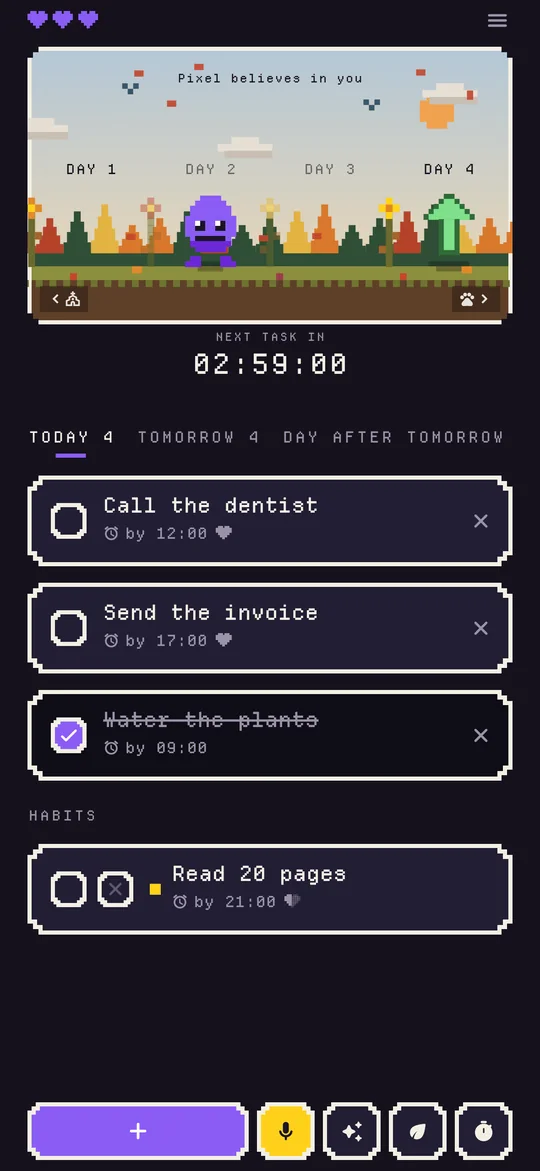
Many people with ADHD do not need a better list. They have the list; the problem is that a missed task just turns red and moves to tomorrow, and tomorrow always looks fine. OGARNIAK gives every task an hour. Miss it and your pixel pet loses a heart, never more than one a day. Three clean days and it grows; lose all three hearts and it is gone.
- Out of sight is covered: today's tasks sit on the iPhone lock screen and in a widget, and you get a reminder an hour before each deadline.
- Add a task the moment you think of it, by typing or by voice.
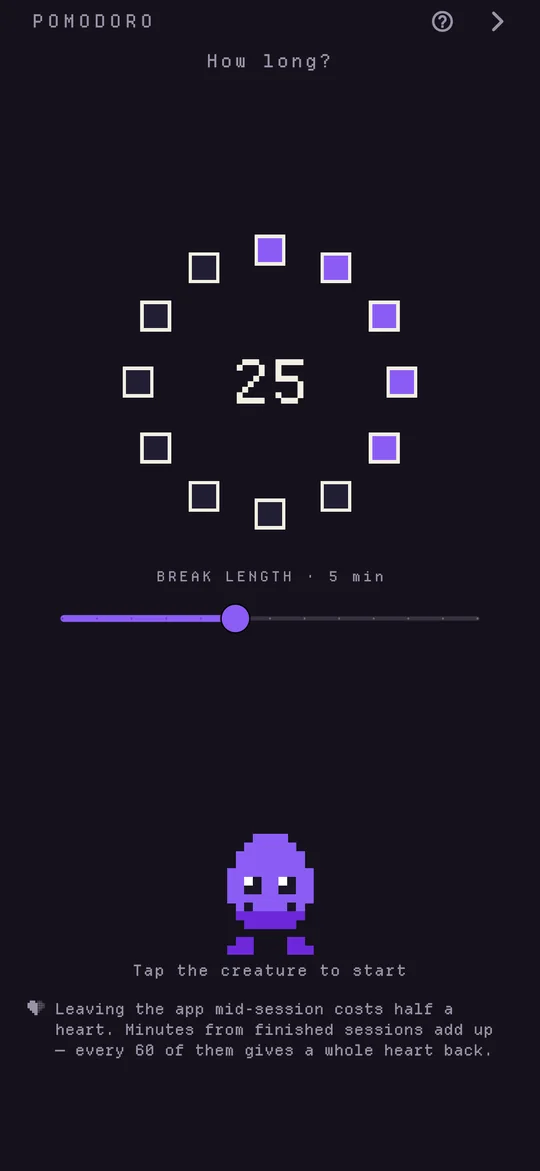
- A bad day can be fixed: hearts come back for every clean day and for every hour in the built-in Pomodoro timer.
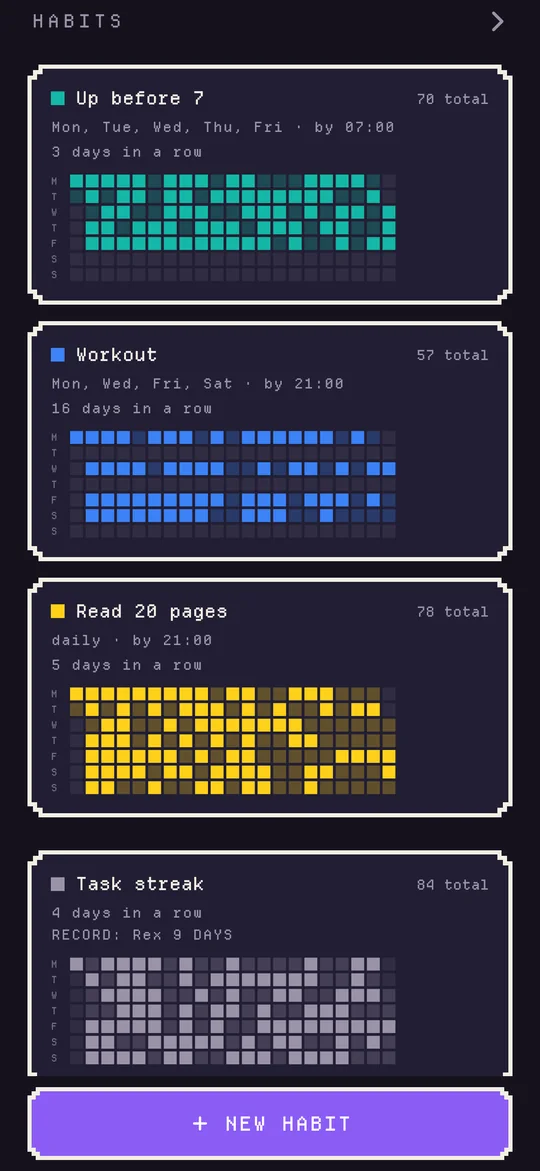
- Habits with a history grid and a bucket list for bigger dreams.
- No account needed: everything stays on your phone.
The honest drawbacks: after the free trial OGARNIAK needs a subscription, and it runs on phones only, with no web or desktop app. If deadlines stress you out, losing hearts can feel like pressure; Finch is the kinder choice then.
Three habits that make any of these apps work
- Start with one app. Three apps means three lists, and you will trust none of them.
- Put a time on today's tasks. "This week" never arrives; "Thursday 4pm" does.
- Keep the first week tiny: three tasks a day is plenty while the habit forms.
More on matching apps to the reason you put things off: the best procrastination apps. Need a focus timer too? Try our free Pomodoro timer that builds a pixel world each minute you focus.
Frequently asked questions
What is the best free to-do list app for ADHD?
Goblin Tools is free on the web and breaks a scary task into small steps. TickTick, Tiimo and Structured all have free plans that cover the basics. Finch is free at its core. Pick by what you struggle with, not by the longest feature list.
Is there a to-do list app that shows on the lock screen?
OGARNIAK puts today's tasks on the iPhone lock screen and in a home screen widget, so you see them every time you pick up your phone. Structured and TickTick also have widgets.
Why do to-do lists stop working for people with ADHD?
Common reasons are that the list is out of sight, so it is out of mind; a task feels too big to start; time slips by unnoticed; and nothing happens when a task is missed, so tomorrow always looks fine. Each app here targets one of these.
Can an app replace ADHD treatment?
No. Apps are tools that can make daily tasks easier. For diagnosis and treatment, talk to a doctor or a mental health professional.